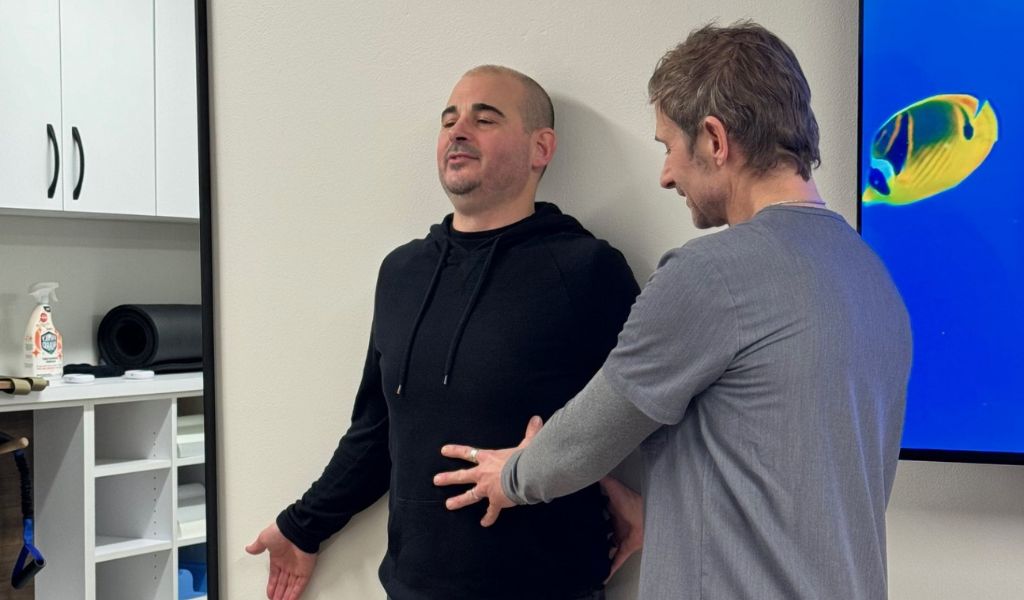
I hear this a lot from patients working desk jobs around Renton, at Boeing, at Amazon, in offices along the 405 corridor: “I got a standing desk, why does my back still hurt?” It’s a fair question, and the honest answer is that a standing desk changes where the strain happens, it doesn’t remove it. Posture problems aren’t solved by swapping one static position for another.
The Real Problem Isn’t Sitting or Standing, It’s Staying Still
Your spine and the muscles around it are built to move. The issue with an eight-hour desk job was never really “sitting is bad,” it’s that most people hold one position, sitting or standing, for hours without changing it. A standing desk that just becomes a new place to stand motionless for three hours while staring at a monitor creates its own problems: swollen ankles, knee strain, low back fatigue from standing on a flat surface without support.
Research on this is fairly consistent: alternating between sitting and standing throughout the day, combined with regular movement breaks, does more for musculoskeletal health than either position held continuously.
What Actually Matters More Than Sit vs. Stand
Monitor and Screen Height
Whether sitting or standing, the top of your monitor should be roughly at eye level, and the screen should be about an arm’s length away. A monitor set too low is one of the biggest contributors to the forward head posture I see, sometimes nicknamed “tech neck,” and it’s the same problem whether you’re sitting or standing at the wrong height.
Elbow and Wrist Position
Your elbows should sit close to a 90-degree angle with wrists in a neutral position, not bent up or down while typing. This matters more for carpal tunnel symptoms than most people realize, wrist angle at a keyboard is a bigger factor than desk height alone.
Movement, Not Position
This is the piece a standing desk alone can’t solve. I tell patients to aim for a position change every 30-45 minutes, not a full workout, just a shift: stand up if you’ve been sitting, walk to refill water, do a few shoulder rolls. The goal is breaking up sustained static load on the same muscles and discs, which is what actually drives a lot of the lower back pain from sitting all day that desk workers deal with.
How to Actually Set Up a Standing Desk
If you’re getting or already have a sit-stand desk, here’s what I’d check:
- Alternate on a timer, don’t just stand because you feel like you should. Thirty to sixty minutes standing, then back to sitting, works for most people.
- Anti-fatigue mat if you’re standing on hard flooring for any real stretch of time, it reduces strain through the feet and lower legs.
- Keep the monitor and keyboard height consistent between sitting and standing positions, most electric desks let you save both heights.
- Shift your weight occasionally while standing rather than locking your knees and hips in one spot.
What I See When Desk Posture Goes Unaddressed Long-Term
Over months and years, sustained poor desk posture, standing or sitting, tends to show up as chronic neck and upper back tightness, headaches that start at the base of the skull, and rounded shoulders that don’t correct on their own even when someone consciously tries to sit up straight. That last part surprises people, once the muscles and soft tissue have adapted to a slouched pattern, willpower alone often isn’t enough to reverse it, which is part of why how chiropractic biophysics corrects posture is a topic I get asked about so often.
When to Get It Checked
If you’ve had persistent neck or upper back tightness for more than a few weeks despite adjusting your desk setup, or you’re getting tension headaches on most workdays, that’s worth an evaluation rather than another gadget purchase. A standing desk is a tool, not a fix, and it works best alongside an assessment of how your spine is actually holding up.
Frequently Asked Questions
Is a standing desk worth buying at all?
Yes, as one part of the solution. The value is in being able to alternate positions throughout the day, not in standing being inherently superior to sitting. Used as a static replacement for sitting, it offers a lot less benefit than most people expect.
How often should I switch between sitting and standing?
A common, practical rule is switching every 30-60 minutes, though this varies by individual comfort and job demands. The more important habit is simply not staying frozen in either position for hours at a stretch.
Can a chiropractor help with desk-related posture even if I don’t have severe pain yet?
Yes, and honestly that’s often the better time to come in. Catching postural strain patterns before they become chronic pain is easier to correct than waiting until you’re in daily discomfort.
Get Your Posture and Desk Setup Evaluated
If desk work has your neck, shoulders, or low back feeling tight and stiff no matter how your desk is set up, come see us. Call (425) 276-8044 or book an appointment and use our New Patient Special — $59 for your first visit. Check out our pages on neck pain and posturezone for more on how we assess posture-related strain.
References
- National Institute for Occupational Safety and Health (NIOSH) / CDC: Ergonomics and Musculoskeletal Disorders
- Mayo Clinic: Office Ergonomics: Your How-To Guide
Get Started Today
Start with a complimentary consultation to ask questions and confirm fit.